Disclosure: This post contains affiliate links. If you sign up or subscribe through them, we may earn a small commission at no extra cost to you. We only recommend tools we have genuinely researched and tested. Prices and availability are accurate as of the publish date but may change.
Notion AI Review (2026): Is It Worth $10/Month for Solopreneurs?
Notion AI costs $10 per month on top of your Notion subscription. As a solopreneur who already uses Notion for project management, I was curious whether the AI add-on could replace my standalone ChatGPT subscription. After 30 days of daily use, here is my honest verdict, including where it shines, where it falls flat, and whether the extra $10 earns its place.
Unlike a general chatbot, Notion AI’s whole pitch is context: it can read every page and database in your workspace. That turns out to be the difference between a novelty and a genuinely useful tool. Below I break down what it does, real use cases from my business, how it compares to ChatGPT and Claude, a setup guide, and a clear cost analysis.
Quick Verdict
If you already live in Notion, the $10/month is easy to justify, mostly because of one killer feature: asking questions across your own knowledge base. If you only want a general-purpose AI writer, skip it and use ChatGPT Plus or a dedicated writing tool instead. Notion AI is a workspace intelligence layer, not a ChatGPT replacement.
What Notion AI Actually Does
Productivity methodology draws on Harvard Business Review’s productivity research and Cal Newport’s Deep Work framework.
Notion AI lives inside your Notion workspace. It can summarize pages, generate text, translate content, extract action items, autofill database properties, and answer questions about your own notes. It uses leading underlying models similar to ChatGPT and Claude, but the key difference is context, it can read all your Notion pages and databases and reason across them. That local knowledge is what sets it apart from a standalone chatbot that knows nothing about your business.
5 Features Tested
| Feature | Rating | Verdict |
|---|---|---|
| Summarize meeting notes | 9/10 | Excellent, saved 15 min/day |
| Generate blog draft | 6/10 | Mediocre, ChatGPT is better |
| Extract action items | 8.5/10 | Very useful for project management |
| Translate content | 7/10 | Adequate but not professional-grade |
| Q&A on your own notes | 9.5/10 | Best feature, a game changer |
The Standout Feature: Q&A on Your Own Knowledge Base
The feature that alone justifies the price is Notion AI Q&A. Ask something like “What did I agree to deliver for Client X?” or “Summarize all my notes on the Q3 launch” and it searches across your entire workspace to answer, citing the source pages. For a solopreneur with hundreds of scattered notes, this turns Notion from a filing cabinet into a searchable second brain. In my testing it consistently found information I had forgotten I even wrote down.
Real Use Cases From My Business
Project management
After every client call I paste rough notes and ask Notion AI to summarize and extract action items into my task database. It reliably pulls out owners and deadlines, saving me roughly 15 minutes per day of manual cleanup. The autofill feature also tags and categorizes new entries automatically.
Lightweight CRM
I keep a simple client database in Notion. With AI, I can ask “Which clients haven’t I contacted in 30 days?” or have it draft a follow-up message using details already stored on that client’s page. It is not a replacement for a full CRM, but for a solo operation it is surprisingly capable.
Content calendar
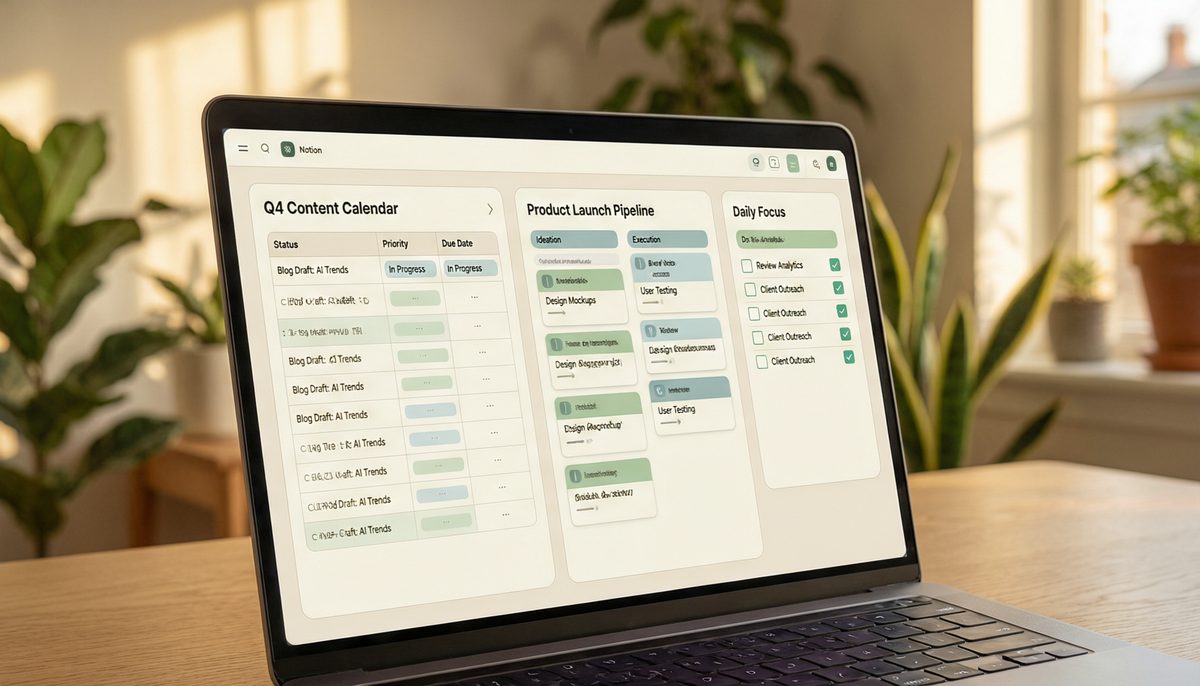
I run my editorial calendar in Notion and use AI to brainstorm topic ideas, draft outlines, and generate first-pass social captions from an existing blog post. The ideation is solid; the long-form drafting is where it lags dedicated writers.
Notion AI vs ChatGPT vs Claude
| Tool | Best At | Weakness |
|---|---|---|
| Notion AI | Reasoning over your own workspace | Weaker long-form writing |
| ChatGPT | General writing, coding, versatility | No access to your notes |
| Claude | Long-context analysis, nuanced writing | No workspace integration |
The honest takeaway: Notion AI is not trying to beat ChatGPT or Claude at raw writing quality. Its advantage is that it knows your data. For drafting a polished article, I still switch to a dedicated model, if you want to see how the big three compare head to head, read our ChatGPT vs Claude vs Gemini guide. But for anything that involves your existing notes, Notion AI wins because the others simply cannot see your workspace.
Setup Guide
- Enable Notion AI: upgrade via workspace settings; the add-on is billed per member.
- Organize first: AI Q&A is only as good as your workspace. Give pages clear titles and keep related notes in structured databases.
- Learn the shortcuts: press the space bar on a new line to trigger AI, or highlight text and choose an AI action.
- Set up templates: create meeting-note and project templates with AI blocks built in so summarization is one click.
- Connect your sources: pull key documents into Notion so the AI can reason across everything in one place.
Templates and Automation Examples
- Meeting notes template: a page with an AI summary block and an auto-extracted action-items section.
- Content pipeline: a database where AI autofills status, suggested title, and a draft outline for each idea.
- Weekly review: a page where AI summarizes what you completed and flags overdue tasks across your project database.
- Client dashboard: AI drafts follow-up emails using data from each client’s linked page.
To push automation further, you can connect Notion to other apps. Our Zapier vs Make guide shows how to trigger Notion updates from form submissions, emails, and payments.
Performance and Limitations
Performance was solid throughout my test. Summaries and Q&A returned in a few seconds, and accuracy on my own notes was high. The limitations to know:
- Long-form writing is average: blog drafts scored just 6/10, noticeably behind ChatGPT and Claude.
- Q&A depends on organization: messy workspaces produce weaker answers.
- No web browsing: it reasons over your notes, not the live internet.
- Per-member pricing: costs scale if you add collaborators.
- Occasional misses: it can overlook information buried in poorly titled pages.
Cost Analysis
At $10/month, Notion AI is cheaper than a standalone ChatGPT Plus subscription ($20/month). If it lets you cancel another tool, it effectively pays for itself. In my case, I did not cancel ChatGPT, because I still need strong long-form writing, so Notion AI became an additional $10 rather than a replacement. Whether that is worth it depends entirely on how much you rely on your Notion workspace. If Notion is your operational hub, the time saved on summaries, action items, and Q&A easily returns $10 of value. If Notion is a minor part of your stack, the math is harder to justify.
Notion AI vs Coda AI vs ClickUp AI
Notion is not the only workspace with an AI layer. Coda AI is powerful for teams that build complex docs with tables and automations, and its AI reasons well over structured data, though Coda has a steeper learning curve. ClickUp AI is strong if your work is task and project heavy, with AI tuned for project summaries and status updates. For pure knowledge management and note-based Q&A, Notion AI remains my favorite thanks to its clean interface and how naturally the AI blends into everyday note-taking. Choose based on where your work already lives.
How I Tested Notion AI
This review is based on 30 days of real daily use inside a working solopreneur workspace, not a quick demo. My Notion setup includes a project database, a client CRM, a content calendar, and roughly 300 pages of accumulated notes, so I could test the AI against a realistically messy, information-rich workspace rather than a clean sandbox. Each day I logged how much time features actually saved, how accurate the Q&A answers were against what I knew to be true, and where the AI stumbled. The ratings in the table above reflect that lived-in usage, which is why summarization and Q&A score so highly while long-form drafting scores lower, those numbers come from real work, not marketing claims.
Tips to Get the Most From Notion AI
- Invest in structure early: the better organized your workspace, the dramatically better your Q&A results. Clear page titles and consistent database properties matter most.
- Use it where it is strong: lean on summarization, action-item extraction, and Q&A; send heavy writing to a dedicated tool.
- Build AI into templates: embed summary and action-item blocks in your meeting and project templates so the value is automatic.
- Ask specific questions: “What are the open tasks for Client X due this week?” beats vague queries and returns far better answers.
- Do a weekly cleanup: a tidy workspace keeps the AI sharp; archive stale pages so answers stay relevant.
Frequently Asked Questions
Does Notion AI replace ChatGPT? Not for general writing. It complements it by adding intelligence over your own workspace.
Is it included in paid Notion plans? No, it is a separate $10/month add-on on top of your existing subscription.
Is my data used to train models? Notion states workspace data is not used to train the underlying models; review their current privacy terms for specifics.
Who benefits most? Solopreneurs and knowledge workers who already manage projects and notes in Notion.
Final Verdict
Notion AI is worth the $10/month if you already live in Notion for project management and note-taking. The ability to query your own knowledge base is genuinely powerful and the time savings on summaries and action items are real. But if you need a general-purpose AI writer, you are better off with ChatGPT Plus or a dedicated tool like Jasper or Copy.ai. For the right user, it turns Notion into a true second brain; for everyone else, it is an optional add-on. See our full list of the best AI tools for solopreneurs to round out your stack.